Step 7 – Review and Submit
Once you have filled out all required fields in the application, you will be able to view your entire registration form before submitting it.
Warning! You are missing required information! The business application below is still missing important information as indicated by the thumbs down icon and is marked in red.
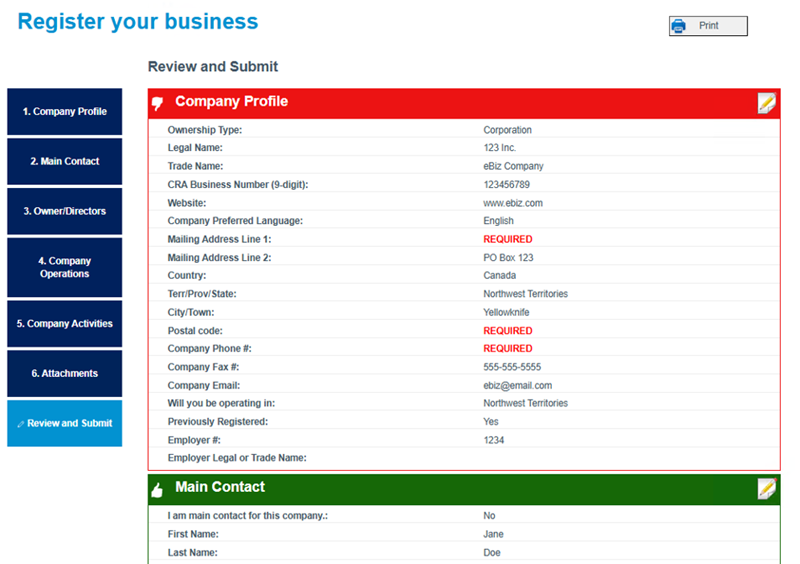
The system will indicate the required fields that are missing. To remedy this, click on the Edit icon to return to that area of the application.

Success! You are ready to submit your application! You have provided all required information!
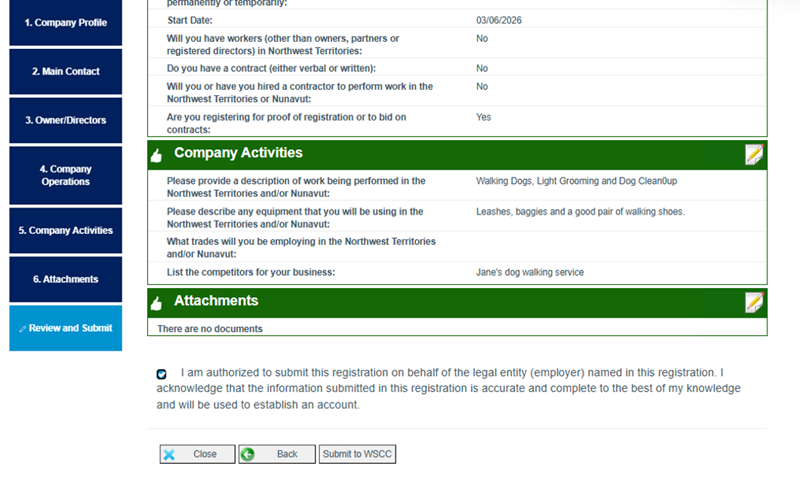
Are you authorized to submit this registration on behalf of this legal entity?
Please confirm that you are authorized.
Click Submit to WSCC. You will be provided with your registration request reference number. Please make note of this reference number for any future inquiries. An email notification will also be sent to the main contact’s email address.