How Can I View my Online Claims Experience Report – Cost Summary?
Mouse over Employer E-Services, and under Claims, click on Claims Experience Report – Cost Summary.
OR
From the Home Page, click on the Claims Experience Report icon.
Claims Experience Report – Cost Summary: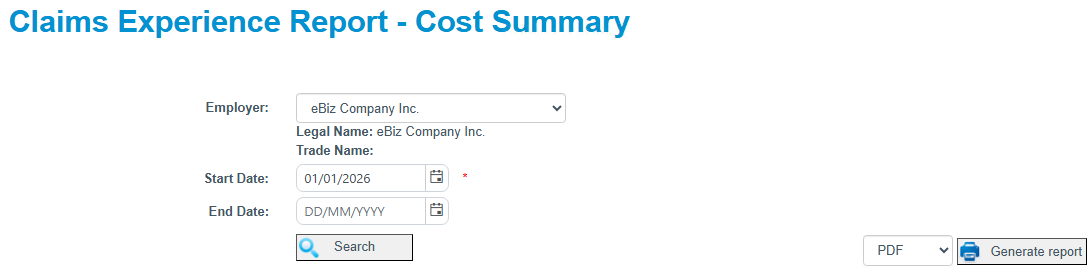
Select the employer you wish to view statement details for and select the date range (Note, the start date is required).
Click Search. The system will produce your Claims Experience Report.
You can also export your report to PDF or Excel.
Click on Export to Excel to export to excel.
Click on Export to PDF to export to PDF.
If you require a Claims Experience Report – Cost Summary report with the WSCC Letterhead, you can generate a Report to either PDF or Excel. Select the report type from the dropdown and then click Generate Report.